API Reference Plugin for FastAPI
Installation
pip install scalar-fastapi
Usage
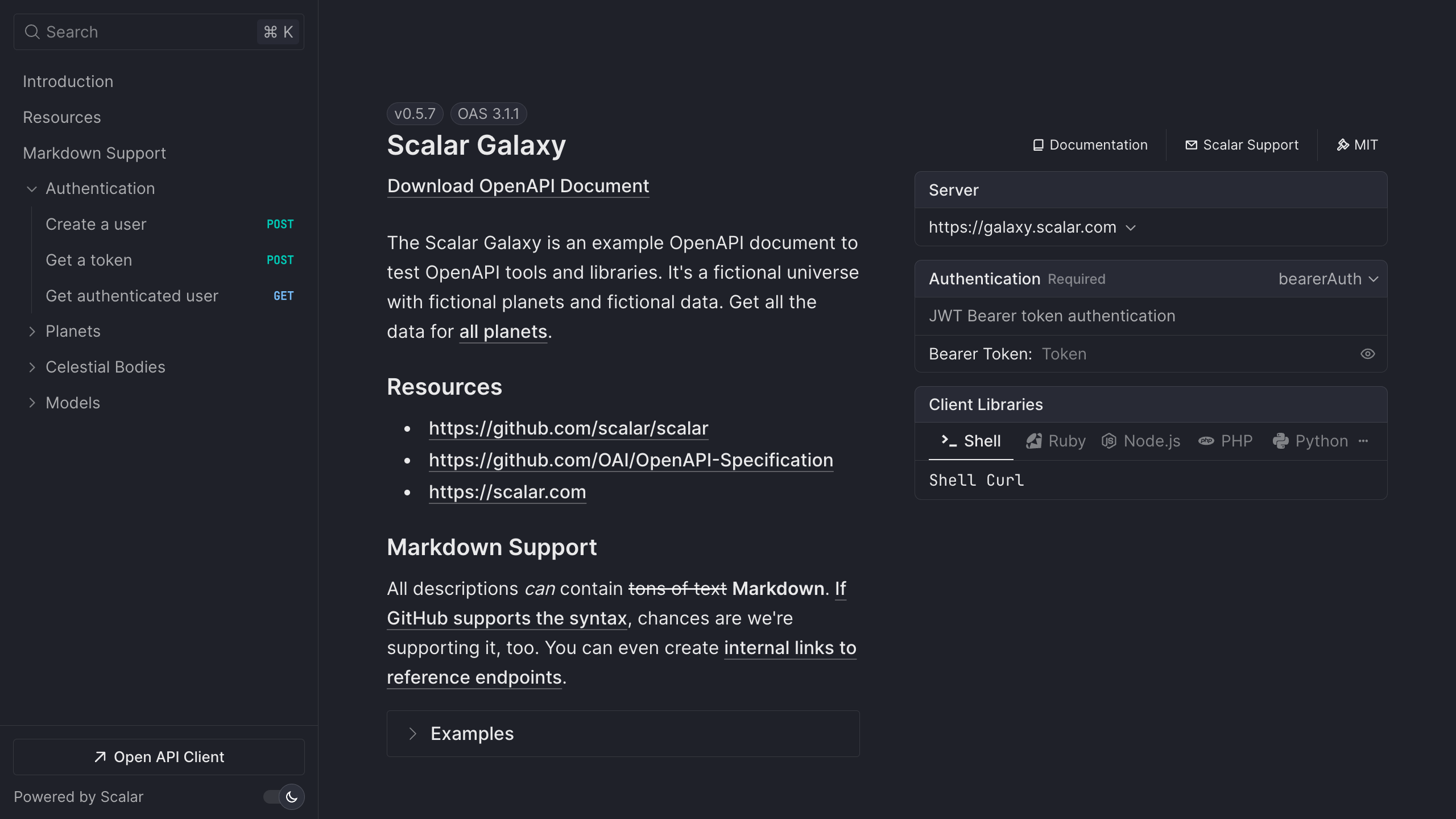
FastAPI makes it super easy to enable Scalar with their out of the box OpenAPI support.
Quickstart
The fastest way to add Scalar is a single call. add_scalar_reference registers the route for you and reads the title and OpenAPI URL from your app:
from fastapi import FastAPI
from scalar_fastapi import add_scalar_reference

app = FastAPI()

add_scalar_reference(app)
Now open /scalar in your browser.
You can change the route and pass through any option that get_scalar_api_reference accepts:
from scalar_fastapi import add_scalar_reference, Theme

add_scalar_reference(app, route="/docs/scalar", theme=Theme.KEPLER)
add_scalar_reference accepts route (default /scalar) and include_in_schema (default False); every other keyword argument is forwarded to get_scalar_api_reference.
Custom route
If you want full control over the route, add it yourself with get_scalar_api_reference:
from fastapi import FastAPI
from scalar_fastapi import get_scalar_api_reference

app = FastAPI()

@app.get("/scalar", include_in_schema=False)
async def scalar_html():
    return get_scalar_api_reference(
        # Your OpenAPI document
        openapi_url=app.openapi_url,
        # Avoid CORS issues (optional)
        scalar_proxy_url="https://proxy.scalar.com",
    )
Multiple OpenAPI Sources
You can now display multiple OpenAPI documents in a single Scalar instance:
from scalar_fastapi import get_scalar_api_reference, OpenAPISource

@app.get("/scalar", include_in_schema=False)
async def scalar_html():
    return get_scalar_api_reference(
        sources=[
            OpenAPISource(
                title="User API",
                url="/openapi.json",
                default=True
            ),
            OpenAPISource(
                title="Admin API",
                url="/admin/openapi.json"
            ),
            OpenAPISource(
                title="External API",
                content='{"openapi": "3.0.0", ...}'
            )
        ],
        title="My API Documentation"
    )
Direct OpenAPI Content
You can pass OpenAPI content directly as a string or dictionary:
@app.get("/scalar", include_in_schema=False)
async def scalar_html():
    return get_scalar_api_reference(
        content='{"openapi": "3.0.0", "info": {"title": "My API"}}',
        title="My API"
    )
Agent
Agent adds an AI chat interface to your API reference. It is enabled by default on localhost (with limited free messages). For production you need an Agent key. See the Agent configuration section for details.
Per-source: enable Agent with a key
from scalar_fastapi import get_scalar_api_reference, OpenAPISource, AgentScalarConfig

@app.get("/scalar", include_in_schema=False)
async def scalar_html():
    return get_scalar_api_reference(
        sources=[
            OpenAPISource(
                title="User API",
                url="/openapi.json",
                default=True,
                agent=AgentScalarConfig(key="your-agent-scalar-key"),
            ),
        ],
        title="My API Documentation"
    )
Disable Agent entirely
from scalar_fastapi import get_scalar_api_reference, AgentScalarConfig

@app.get("/scalar", include_in_schema=False)
async def scalar_html():
    return get_scalar_api_reference(
        openapi_url="/openapi.json",
        agent=AgentScalarConfig(disabled=True),
    )
Configuration
Currently available configuration options are listed below.
Core Configuration
openapi_url(defaultNone) - The OpenAPI URL that Scalar should load. Ifcontentorsourcesare provided, this parameter is ignored.content(defaultNone) - Directly pass an OpenAPI/Swagger document as a string (JSON or YAML) or as a dictionary. Ifsourcesare provided, this parameter is ignored.sources(defaultNone) - Add multiple OpenAPI documents to render all of them. Each source can have a title, slug, url, content, and default flag.title(default"Scalar") - The title of the API reference page
OpenAPISource Configuration
When using multiple sources, each OpenAPISource can be configured with:
title(defaultNone) - Display name for the API. If not provided, will fallback to 'API #1', 'API #2', etc.slug(defaultNone) - URL identifier for the API. If not provided, will be auto-generated from the title or index.url(defaultNone) - URL to the OpenAPI document (JSON or YAML). Mutually exclusive with content.content(defaultNone) - Direct OpenAPI content as string (JSON/YAML) or dictionary. Mutually exclusive with url.default(defaultFalse) - Whether this source should be the default when multiple sources are provided.agent(defaultNone) - Optional Agent config for this source (key,disabled). See Agent for details.
Display Options
layout(defaultLayout.MODERN)show_sidebar(defaultTrue)hide_models(defaultFalse)hide_search(defaultFalse) - Whether to show the sidebar search barhide_test_request_button(defaultFalse) - Whether to show the "Test Request" buttonhide_download_button(defaultFalse) - Deprecated: Usedocument_download_typeinsteaddocument_download_type(defaultDocumentDownloadType.BOTH) - Sets the file type of the document to download. Options:JSON,YAML,BOTH,NONEshow_developer_tools(default"localhost") - Configures when to show the top developer tools panel. Options:"always", "localhost","never"
DocumentDownloadType
from scalar_fastapi import DocumentDownloadType

# Available options:
DocumentDownloadType.JSON    # Download as JSON only
DocumentDownloadType.YAML    # Download as YAML only
DocumentDownloadType.BOTH    # Download as both JSON and YAML
DocumentDownloadType.NONE    # Hide download button
Theme and Appearance
dark_mode(defaultNone) - Whether dark mode is on or off initially. When left unset, the reader's preference is usedforce_dark_mode_state(defaultNone) - Force dark mode state to always be this state. Can be 'dark' or 'light'hide_dark_mode_toggle(defaultFalse) - Whether to show the dark mode togglewith_default_fonts(defaultTrue) - Whether to use default fonts (Inter and JetBrains Mono)custom_css(default"") - Custom CSS string to apply to the API reference
Search and Navigation
search_hot_key(defaultSearchHotKey.K)default_open_all_tags(defaultFalse)expand_all_model_sections(defaultFalse) - Whether to expand all model sections by defaultexpand_all_responses(defaultFalse) - Whether to expand all response sections by defaultorder_required_properties_first(defaultTrue) - Whether to order required properties first in schema objectsorder_schema_properties_by(default"alpha") - Sets schema property ordering. Options:"alpha","preserve"
Server Configuration
base_server_url(default"") - If you want to prefix all relative servers with a base URLservers(default[]) - List of OpenAPI Server Objects. Each item must have a requiredurl(string) and may have optionaldescription(string) andvariables(map). Example:[{"url": "https://api.example.com", "description": "Production"}]hidden_clients(default[])
Authentication
authentication(default{})hide_client_button(defaultFalse) - Whether to show the client button from the reference sidebar and modalpersist_auth(defaultFalse) - Whether to persist authentication credentials in local storage
Advanced
scalar_js_url(default"https://cdn.jsdelivr.net/npm/@scalar/api-reference")scalar_proxy_url(default"")integration(default"fastapi") - Set toNoneto omit the integration markertheme(defaultTheme.DEFAULT)agent(defaultNone) - Set toAgentScalarConfig(disabled=True)to disable Agent entirely, or use per-sourceagentonOpenAPISourcefor keys. See Agent.overrides(default{}) - Specific overrides directly to theconfigdictionary which is passed asScalar.createApiReference("#app", {json.dumps(config)})telemetry(defaultTrue) - Enable or disable api client usage telemetry. Options:True,False
Layout
from scalar_fastapi import Layout

# Available options:
Layout.MODERN    # Modern layout
Layout.CLASSIC   # Classic layout
SearchHotKey
SearchHotKey has one member per letter, SearchHotKey.A through SearchHotKey.Z. The chosen key is combined with the platform modifier (Cmd on macOS, Ctrl elsewhere). The default is SearchHotKey.K.
from scalar_fastapi import SearchHotKey

get_scalar_api_reference(
    openapi_url="/openapi.json",
    search_hot_key=SearchHotKey.S,  # Cmd/Ctrl + S
)
Theme
from scalar_fastapi import Theme

# Available options (default is Theme.DEFAULT):
Theme.DEFAULT
Theme.ALTERNATE
Theme.MOON
Theme.PURPLE
Theme.SOLARIZED
Theme.BLUE_PLANET
Theme.SATURN
Theme.KEPLER
Theme.MARS
Theme.DEEP_SPACE
Theme.LASERWAVE
Theme.NONE  # Render without a Scalar theme



