Scalar API Client release notes
1.1.11 (2026-06-26)
Synced example pickers and improved array parameter display
Example selections now sync across all operations, making it easier to see the same use case throughout your API. Array parameters in deepObject style also display with the correct trailing brackets to match the actual request.
- Selecting a request or response example now applies that choice to every operation that defines the same example
- Array parameters in deepObject style now show trailing brackets (like filter[ids][]) so the table matches the serialized request
- Editing array parameter values preserves the array type when writing back to the request
1.1.10 (2026-06-22)
Request signing, auth token fixes, and parameter editing improvements
This release adds a new hook for request signing use cases, fixes auth tokens being dropped when document names contain spaces or special characters, and improves the behavior of query parameter renaming in the request editor.
- New requestBuilt hook and onRequestBuilt callback receive the exact fetch Request sent over the wire, making request body signing possible for multipart/form-data and other use cases
- Fixed Bearer tokens being dropped when documents loaded via sources have non-slug-safe names (spaces, special characters)
- Renaming auto-expanded query parameter keys now commits the change on blur and persists in both the request and table
- Header mutations in the new requestBuilt hook apply to the outgoing request (unlike onBeforeRequest which rebuilds after the callback)
- Query parameters not defined in the schema are now surfaced as their own rows after renaming
1.1.9 (2026-06-17)
Editable Watch Mode sources and improved input performance
This release makes it easier to manage Watch Mode documents and improves responsiveness across request, authentication, and environment variable tables.
- Edit the Watch Mode source URL directly in document settings without needing to delete and re-import your collection
- Faster, more responsive input fields for parameters, headers, and environment variables with the new lightweight CodeInputLite component
- OAuth2 and OpenID Connect token requests now route through the desktop app's secure IPC layer
1.1.8 (2026-06-11)
Path item references and SDK tab sync
This release fixes OpenAPI specs that use path item references and improves code example consistency across the client.
- Operations now appear correctly when OpenAPI paths use $ref to reference components.pathItems
- Authentication scheme dropdown now opens reliably when multiple API reference modals are present
- Selecting a language in Client Libraries now switches all operation code examples to that language
1.1.6 (2026-06-09)
Polish and bug fixes shipped
1.1.5 (2026-06-08)
SDK code samples, AsyncAPI servers, and form encoding fixes
This release adds support for SDK-generated code samples from popular tools, introduces an AsyncAPI server selector, and fixes how form data is sent to match your API specification.
- Read custom code samples from x-scalar-examples, x-stainless-snippets, x-stainless-examples, and x-readme.code-samples extensions
- Added AsyncAPI server selector with variable editing and persistence
- Fixed multipart and urlencoded form data to respect OpenAPI encoding styles like deepObject
- Simplified the client picker when only one option is available
1.1.4 (2026-06-01)
Code splitting, WebSocket support, and performance improvements
This release introduces a new ESM standalone build with code splitting that reduces the initial bundle size by ~570 KB, adds WebSocket session support for AsyncAPI operations, and improves first-request performance when using scripts.
- New ESM standalone build with code splitting reduces initial load from 3.32 MB to 2.73 MB
- Fixed code samples with duplicate languages (like Python and Python Async) now appearing as separate selectable entries
- Scripts sandbox now warms up on mount to eliminate lag on the first request
- Added WebSocket session transport with plugin hooks for AsyncAPI operations
1.1.3 (2026-05-22)
Script execution and build reliability improvements
This release fixes script execution in production builds and strengthens environment configuration validation to catch missing variables before deployment.
- Fixed pre-request and post-request scripts not running in production Electron builds
- Build now fails early when required environment variables are missing
- Added analytics tracking for document saves and registry sync operations
1.1.2 (2026-05-21)
Logout now works correctly in the desktop app
We fixed a navigation issue that caused the Electron desktop app to break when logging out, and improved how environment variables are loaded across different build targets.
1.1.1 (2026-05-21)
Improved multipart forms and better security
This release brings cleaner multipart form handling, better deep-linking from API Reference, and hardened security across the board.
- Nested object properties in multipart forms now expand into individual editable rows and serialize as clean JSON parts
- Opening the client from API Reference now lands you directly on the selected operation
- Response previews are now protected against XSS and referrer leakage
- Pre-request and post-response scripts run in an isolated sandbox, removing unsafe-eval from the main app
- Web client now defaults to proxy.scalar.com while desktop skips the proxy unless you configure one
1.1.0 (2026-05-16)
Improved sidebar filtering and analytics fixes
This release brings better document organization with combined title and namespace filtering in the sidebar, plus fixes for analytics tracking and content security.
- Sidebar now filters documents by both title and namespace together with clearer controls
- Fixed analytics events not tracking login and logout actions
- Improved team picker to match dashboard design
- Relaxed image loading restrictions to support HTTPS sources
1.0.13 (2026-05-14)
Scalar Client 1.0 — team workspaces, registry sync, conflict resolution, and a rebuilt experience
Intro walkthrough — What's new in Scalar Client 1.0
Scalar Client 1.0 is the first major release of the open-source HTTP client as a focused desktop and web app. Workspaces are now built around teams and the Scalar Registry: you can sync in real time, resolve conflicts when edits diverge, and manage API descriptions and versions without leaving the client. Local workspaces stay fast and offline-friendly with explicit save and revert before anything ships upstream.
Team workspaces and Scalar Registry
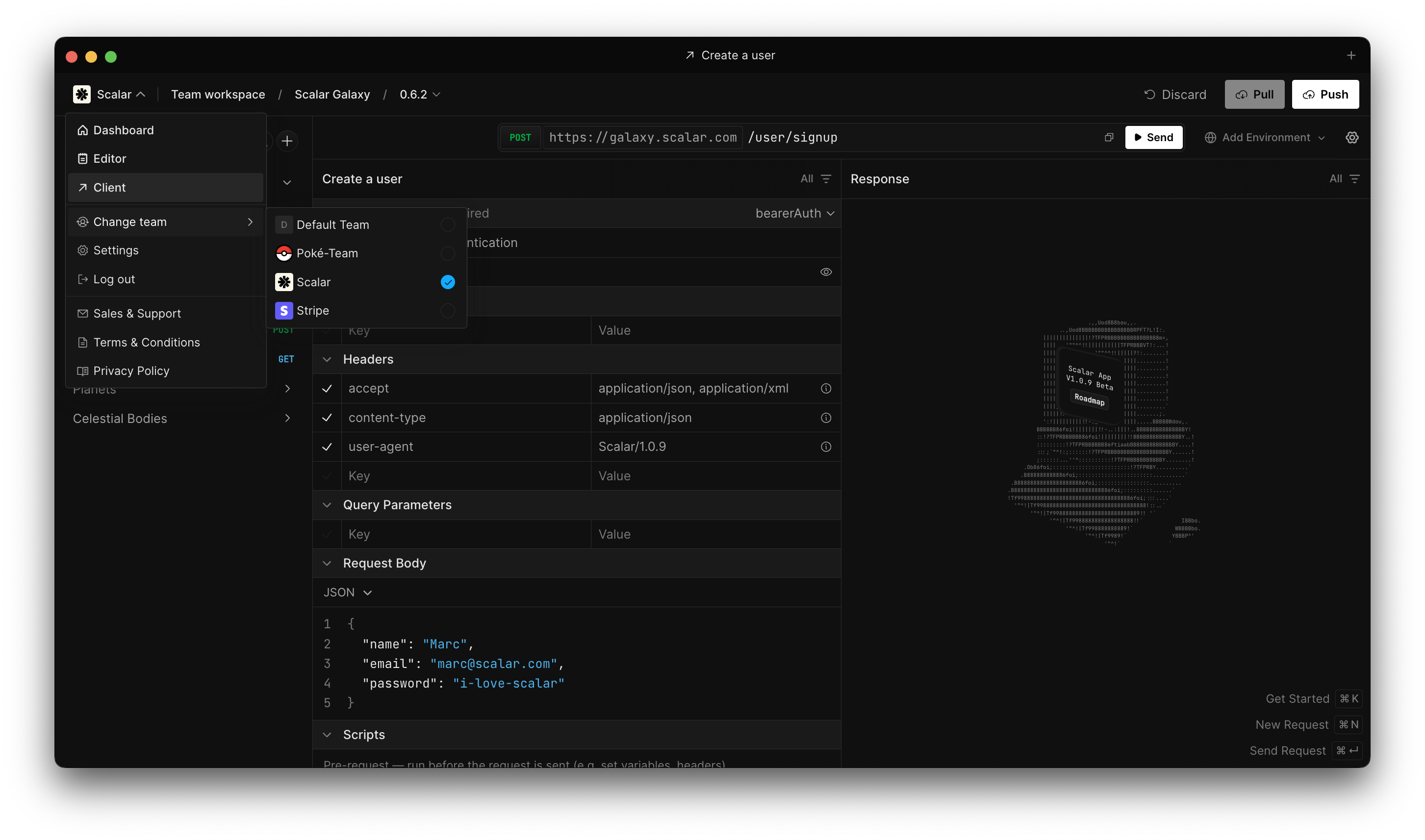
Team workspaces and Scalar Registry
- First-class team workspaces with a stable team identity that survives slug renames on the server.
- Live sync with the Scalar Registry so shared API descriptions stay aligned across machines.
- Conflict detection and resolution when local edits and registry changes disagree.
- Team switching from the header menu, with routing that follows the active team after sign-in.
- Returning to a workspace restores the tabs and routes you had open last time.
Local workspaces
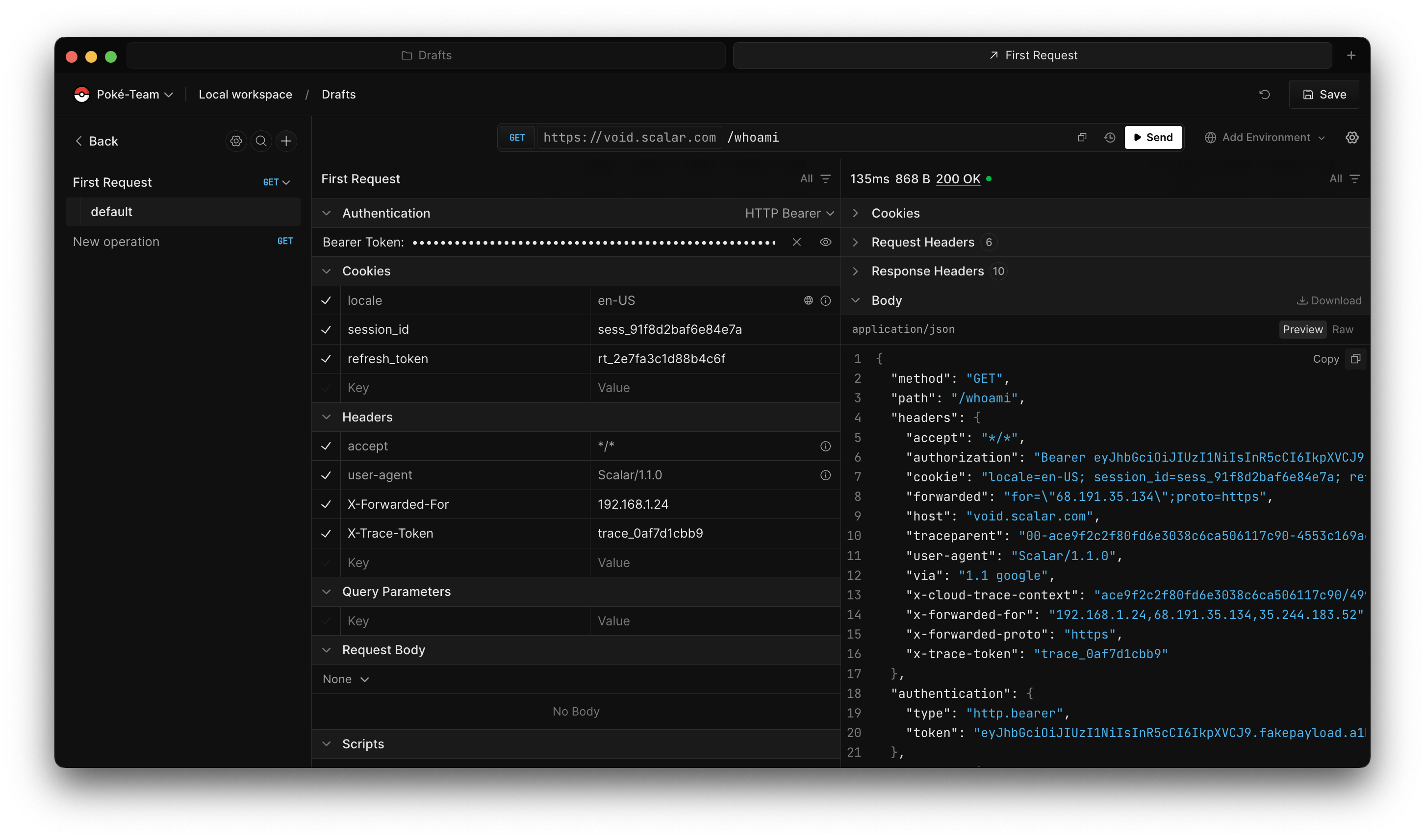
Local workspaces
- Save and revert flows for local-only drafts so you can experiment safely before publishing.
- Clear separation between personal local workspaces and team-backed workspaces.
- IndexedDB-backed persistence with a migration path from older localStorage installs.
Registry from the client
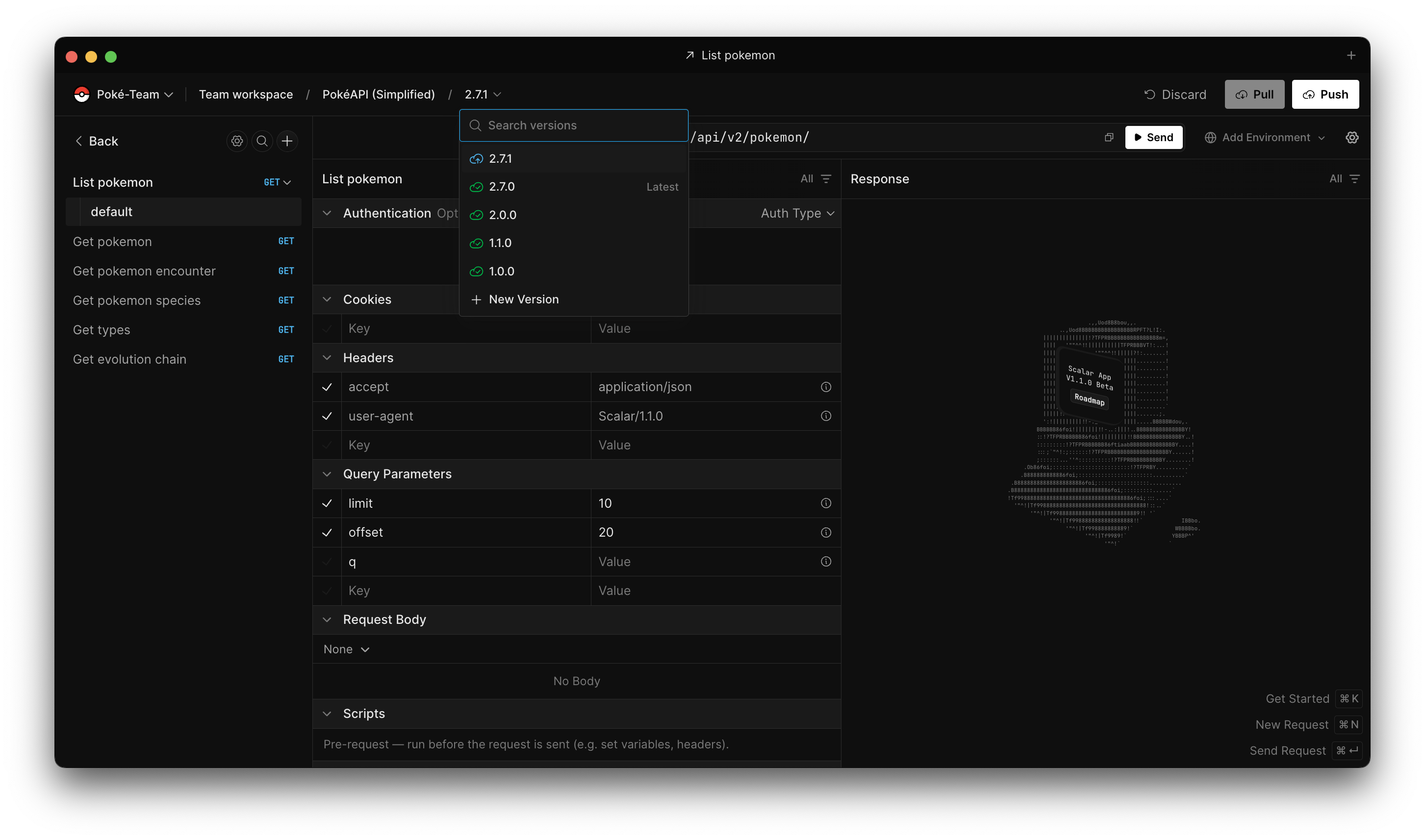
Registry from the client
- Add, update, and remove API descriptions tied to the registry without switching tools.
- Create and manage document versions from the same UI you use to send requests.
- Integrated registry adapter so the client speaks the same contracts as the hosted product.
Client shell, layout, and polish
- Layout tuned for small screens: breadcrumbs tuck away, workspace switching moves into the menu, and the address bar stacks cleanly with send actions.
- Command palette surfaces inline validation instead of silently disabling invalid actions.
- Electron window transparency and splash handling so team workspace reloads and resize flashes feel steadier.
- Monaco editor bundling moved to ESM-aligned workers for a more reliable desktop build.



