Fastify API documentation
Turn the OpenAPI document that @fastify/swagger already builds from your route schemas into an interactive API reference, served by your own Fastify app, in about ten lines of code.
Fastify is unusually well suited to generated documentation. Every route can carry a JSON Schema for its params, body, and responses, and Fastify uses those schemas for validation and serialization anyway. @fastify/swagger collects them into an OpenAPI document, and the official Scalar plugin, @scalar/fastify-api-reference, renders that document. Nothing is written twice, so the docs cannot drift from the code that validates requests.
Set it up in three steps
Install the two plugins
npm install @fastify/swagger @scalar/fastify-api-reference
@fastify/swagger generates the OpenAPI document. @scalar/fastify-api-reference renders it. The Scalar plugin works with Fastify v4 and v5 and ships as an ES module.
Register @fastify/swagger before your routes
import FastifySwagger from '@fastify/swagger'
import Fastify from 'fastify'

const fastify = Fastify({ logger: true })

await fastify.register(FastifySwagger, {
  openapi: {
    openapi: '3.1.0',
    info: {
      title: 'Planets API',
      version: '1.0.0',
    },
  },
})

fastify.get(
  '/planets/:id',
  {
    schema: {
      summary: 'Get a planet',
      params: {
        type: 'object',
        properties: { id: { type: 'string' } },
        required: ['id'],
      },
      response: {
        200: {
          type: 'object',
          properties: {
            id: { type: 'string' },
            name: { type: 'string' },
          },
        },
      },
    },
  },
  async (request) => ({ id: request.params.id, name: 'Mars' }),
)
Register the plugin before you declare routes, so it sees every route schema. The openapi.openapi field selects the version of the generated document; @fastify/swagger supports 3.0, 3.1, and 3.2.
Register the Scalar plugin and start the server
import ScalarApiReference from '@scalar/fastify-api-reference'

await fastify.register(ScalarApiReference, {
  routePrefix: '/reference',
})

await fastify.listen({ port: 3000 })
Open http://localhost:3000/reference. When @fastify/swagger is registered, the Scalar plugin picks the document up automatically, so there is no URL to configure.
If you write your OpenAPI document by hand instead of generating it, skip @fastify/swagger and point the plugin at the file with configuration: { url: '/openapi.json' }. Scalar looks for the document in this order: configuration.content, then configuration.url, then @fastify/swagger.
See it live
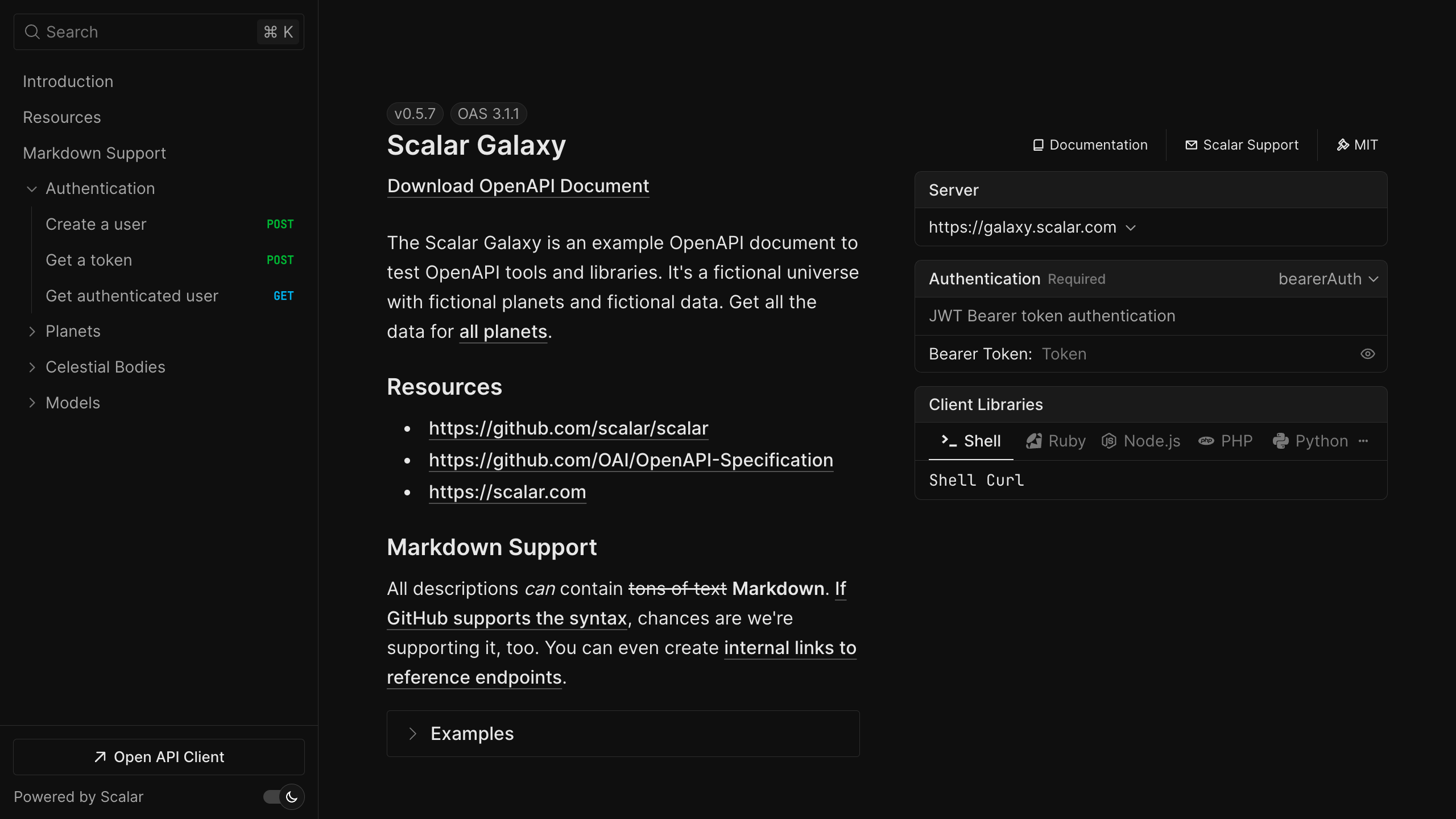
The same renderer powers the Scalar Galaxy demo, an example API with authentication, schemas, and webhooks. Open it to try the search, the code samples, and the "Test Request" button before you install anything.
Open the live demoWhat you get
An API reference inside your app. The plugin serves the Scalar bundle from your own origin (/reference/js/scalar.js), so a strict Content Security Policy does not need a CDN allowlist. Pass a nonce in configuration to run without 'unsafe-inline' scripts. The reference uses a Fastify theme by default; any of the built-in themes works too.
Your OpenAPI document, re-exposed. The plugin serves the parsed document at /reference/openapi.json and /reference/openapi.yaml, with permissive CORS headers, so other tools (SDK generators, linters, the Scalar CLI) can fetch it. Change the paths with the openApiDocumentEndpoints option.
Protected docs when you need them. The hooks option applies Fastify onRequest and preHandler hooks to every route the plugin registers. That means @fastify/basic-auth or your existing auth hook can guard the HTML page, the bundle, and the document endpoints in one place.
An API client. Every operation has a "Test Request" button that opens the Scalar API client, prefilled with the operation's parameters and your security schemes. The same client is available as a standalone, open-source desktop and web app.
SDKs from the same document. Point the Scalar SDK generator at the document your Fastify app exposes. TypeScript, Python, Go, and CLI targets are generally available; Java, Kotlin, Ruby, C#, PHP, Rust, Swift, Dart, and C++ are experimental. Every plan includes one SDK.
A hosted MCP server. Scalar can host an MCP server generated from the same OpenAPI document, so AI agents can call the endpoints you choose to expose, with OAuth. Scalar runs it; you do not deploy MCP code alongside your Fastify service. Hosted MCP servers are included from the Pro plan.
The Fastify plugin and the renderer are MIT licensed and free to self-host. Hosted docs, SDKs, and MCP servers are covered on the pricing page.
Migrating from Swagger UI or Redoc
Most Fastify apps that show Swagger UI use @fastify/swagger-ui. The generator, @fastify/swagger, stays exactly as it is. Only the UI changes:
- Remove the
@fastify/swagger-uiregistration (and the dependency). - Register
@scalar/fastify-api-referencein its place. To keep existing links working, use the same path you used before asroutePrefix, for exampleroutePrefix: '/documentation'. - Check any auth you put in front of the old UI and move it to the
hooksoption.
If you render Redoc from a static HTML page, the same logic applies: keep the document, replace the page with the plugin (or with the one-script HTML embed). Your route schemas, tags, and descriptions carry over untouched, because both tools read the same OpenAPI document. There is a longer walkthrough in the Swagger UI migration guide.
Worth knowing: Platformatic, the Fastify-based application platform, already uses the Scalar API reference as its default documentation UI.
Frequently asked questions
Does the Scalar plugin replace @fastify/swagger?
No. @fastify/swagger generates the OpenAPI document from your route schemas. @scalar/fastify-api-reference renders it. You keep the generator and replace only the UI, usually @fastify/swagger-ui.
Which Fastify versions are supported?
The plugin works with Fastify v4 and v5. It is an ES module, so register it with a top-level import in an ESM project or with a dynamic import('@scalar/fastify-api-reference').
Can I use it without @fastify/swagger?
Yes. Pass configuration.url to render a document you serve yourself (for example with @fastify/static), or configuration.content to pass the document inline. You can also point url at a document hosted elsewhere.
How do I password-protect the Fastify API reference?
Use the hooks option. Register an auth plugin such as @fastify/basic-auth, then pass hooks: { onRequest: fastify.basicAuth } to the Scalar plugin. The hook runs on the page, the JavaScript bundle, and the OpenAPI document endpoints.
Does it work with a strict Content Security Policy?
Yes. The bundle is served from your own origin, so script-src 'self' covers it. Pass a nonce in configuration to avoid 'unsafe-inline' for scripts. style-src still needs 'unsafe-inline', because the reference uses inline style attributes that a nonce cannot authorize.
Is it free?
The plugin and the API reference are MIT licensed and free to run on your own infrastructure. Scalar also offers free hosted docs; Pro is $150 per month and Business is $600 per month for teams that need custom domains, more SDKs, or hosted MCP servers.
Get started
npm install @fastify/swagger @scalar/fastify-api-reference
Or create a free Scalar account to host the same reference on its own domain.
Related
- Learn: What is an API reference? · Generate an MCP server from OpenAPI
- Docs: Fastify integration reference
- Product: Scalar API References — the open-source renderer behind the Fastify plugin



