Express API documentation
Replace swagger-ui-express with an interactive Scalar API reference by changing one middleware in your Express app.
When people search for "Express Swagger", they usually want two things: an OpenAPI document that describes their routes, and a page that renders it. Express does not produce the document itself, so most teams write it with JSDoc comments and swagger-jsdoc, or generate it from Zod schemas with express-zod-api. @scalar/express-api-reference takes care of the second part: it renders that document with a built-in request client, search, themes and code samples.
Set up Scalar in Express
Install the middleware
npm install @scalar/express-api-reference
If you do not have an OpenAPI document yet, add swagger-jsdoc too: npm install swagger-jsdoc.
Serve the document and mount apiReference
This is the pattern from the Express playground in the Scalar repository. JSDoc @openapi comments on your routes become the document, which is served as JSON and rendered by Scalar:
import Express from 'express'
import swaggerJsdoc from 'swagger-jsdoc'
import { apiReference } from '@scalar/express-api-reference'

const app = Express()

/**
 * @openapi
 * /status:
 *   get:
 *     description: Get the server status.
 *     responses:
 *       200:
 *         description: Returns the server status.
 */
app.get('/status', (_req, res) => {
  res.json({ status: 'Server is running smoothly!', uptime: process.uptime() })
})

const ApiDefinition = swaggerJsdoc({
  failOnErrors: true,
  definition: {
    openapi: '3.1.0',
    info: { title: 'Express Example', version: '1.0.0' },
  },
  apis: ['./src/**/*.ts'],
})

// Serve the OpenAPI document
app.get('/openapi.json', (_req, res) => {
  res.json(ApiDefinition)
})

// Serve the Scalar API reference
app.use(
  '/reference',
  apiReference({
    url: '/openapi.json',
  }),
)

app.listen(3000)
Start the server and open /reference
Run your app and open http://localhost:3000/reference.
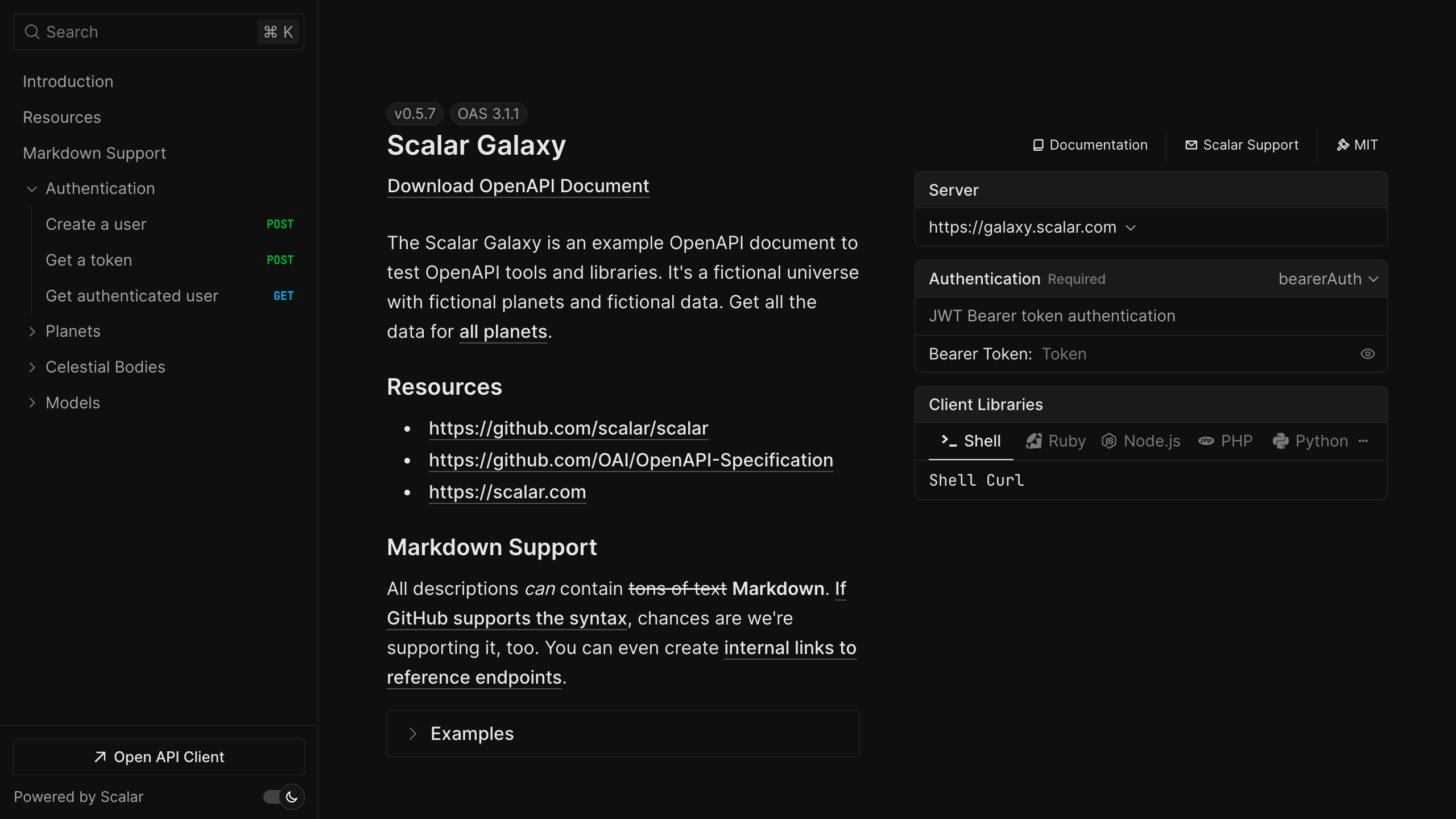
Try a live reference
The Scalar Galaxy example API below is rendered by the same API reference component the Express middleware serves. Open an operation and send a request from the built-in client.
Open the live demo in a new tab
Using express-zod-api
If you build your API with express-zod-api, the document comes from your Zod schemas. Hook Scalar in through beforeRouting and pass the generated document as content:
import { createConfig } from 'express-zod-api'
import { apiReference } from '@scalar/express-api-reference'

const config = createConfig({
  beforeRouting: ({ app, getLogger }) => {
    const logger = getLogger()
    logger.info('Serving the API reference at https://example.com/docs')

    app.use(
      '/docs',
      apiReference({
        // Pass your generated OpenAPI document
        content: documentation.getSpecAsJson(),
      }),
    )
  },
})
The middleware ships with an Express theme by default. Set theme to purple, moon, solarized or another built-in theme, or none for a blank slate. The Express integration guide covers theming, a custom CDN and the full configuration object.
What you get
The middleware and the reference are MIT licensed. The OpenAPI document your Express app serves is also the input for the rest of Scalar.
- An interactive API reference. Every documented route, with search, themes, dark mode and request code samples in popular languages.
- A built-in API client. "Test Request" opens a full client with environments, authentication and history, a step up from Swagger UI's "Try it out". It also runs as a desktop and web app.
- SDKs from the same document. TypeScript, Python, Go and CLI are generally available; Java, Kotlin, Ruby, C#, PHP, Rust, Swift, Dart and C++ are experimental.
- A hosted MCP server so AI agents can call the endpoints you choose, with OAuth. Scalar hosts it; there is nothing to deploy next to your Express server.
For SDKs and MCP, write ApiDefinition to a file in a build script and publish it to the Scalar Registry from CI:
npx @scalar/cli registry publish --namespace your-namespace --slug your-api ./openapi.json
Free hosted docs cover up to 3 APIs; Pro is $150 per month. See pricing.
Migrating from swagger-ui-express
swagger-ui-express is usually mounted as app.use('/api-docs', swaggerUi.serve, swaggerUi.setup(swaggerDocument)). Scalar needs the same document and one middleware:
// Before
import swaggerUi from 'swagger-ui-express'
app.use('/api-docs', swaggerUi.serve, swaggerUi.setup(swaggerDocument))

// After
import { apiReference } from '@scalar/express-api-reference'
app.use('/api-docs', apiReference({ content: swaggerDocument }))
Keep the /api-docs path so existing links still work, then remove swagger-ui-express from your dependencies. Your swagger-jsdoc comments, or the YAML file you load, stay the same. If you had customised Swagger UI with customCss, move those rules to Scalar's customCss option or pick a built-in theme.
Swagger 2.0 documents render too; Scalar upgrades them on load, so an older swagger: '2.0' definition works while you plan a move to OpenAPI 3.1. Coming from Redoc? The same swap applies, and readers get a request client in the page. The Swagger UI migration guide has a feature-by-feature comparison.
Frequently asked questions
How do I add Swagger documentation to an Express API?
Describe your routes in an OpenAPI document, usually with swagger-jsdoc comments, serve it as JSON, and mount a UI. With Scalar that UI is app.use('/reference', apiReference({ url: '/openapi.json' })) from @scalar/express-api-reference.
Is Scalar a drop-in replacement for swagger-ui-express?
For the rendering part, yes. Both take an OpenAPI document; replace swaggerUi.serve, swaggerUi.setup(doc) with apiReference({ content: doc }) on the same path. Nothing about how you generate the document changes.
Does it work with Express 5?
Yes. The integration is developed and tested against Express 5. apiReference is a plain request handler that returns an HTML page, so Express 4 apps mount it the same way.
Is the Express integration free?
Yes. @scalar/express-api-reference and the API reference are open source under the MIT license. Paid plans cover hosted docs with more APIs and seats, SDKs, and MCP usage.
Can I pass the document directly instead of a URL?
Yes. Use content with a JavaScript object or a JSON or YAML string instead of url. Serving the document at a URL is still useful because readers and tools can download it.
Related
- Learn: OpenAPI vs Swagger · API documentation best practices
- Docs: Express integration guide
- Product: API References — the open-source reference behind the Express middleware, also available hosted



