Hono API documentation
Add an interactive Scalar API reference to any Hono app, on any runtime, with one middleware.
Hono does not generate OpenAPI on its own. Most teams add Zod OpenAPI Hono (@hono/zod-openapi) or hono-openapi to describe routes and produce the document. @scalar/hono-api-reference renders that document as a reference with a built-in request client, search and code samples. Because it only returns HTML, it runs wherever Hono runs: Cloudflare Workers, Bun, Deno and Node.js.
Set up Scalar in Hono
Install the middleware
npm install @scalar/hono-api-reference
Serve the document and the reference
If you use Zod OpenAPI Hono, Scalar.serve renders the reference and serves the document from a single mount, so there is no second route to keep in sync:
import { OpenAPIHono } from '@hono/zod-openapi'
import { Scalar } from '@scalar/hono-api-reference'

const app = new OpenAPIHono()

// ... register your routes ...

// Renders the reference at /scalar and serves the document at /scalar/openapi.json
app.route(
  '/scalar',
  Scalar.serve({
    document: () =>
      app.getOpenAPI31Document({
        openapi: '3.1.0',
        info: { title: 'Example', version: 'v1' },
      }),
  }),
)

export default app
Already serving the document on its own route? Point the plain middleware at it instead:
import { Hono } from 'hono'
import { Scalar } from '@scalar/hono-api-reference'

const app = new Hono()

app.get('/scalar', Scalar({ url: '/doc' }))

export default app
Run it and open /scalar
Start your dev server (wrangler dev, bun run --hot src/index.ts, deno serve or your Node entrypoint) and open /scalar.
Try a live reference
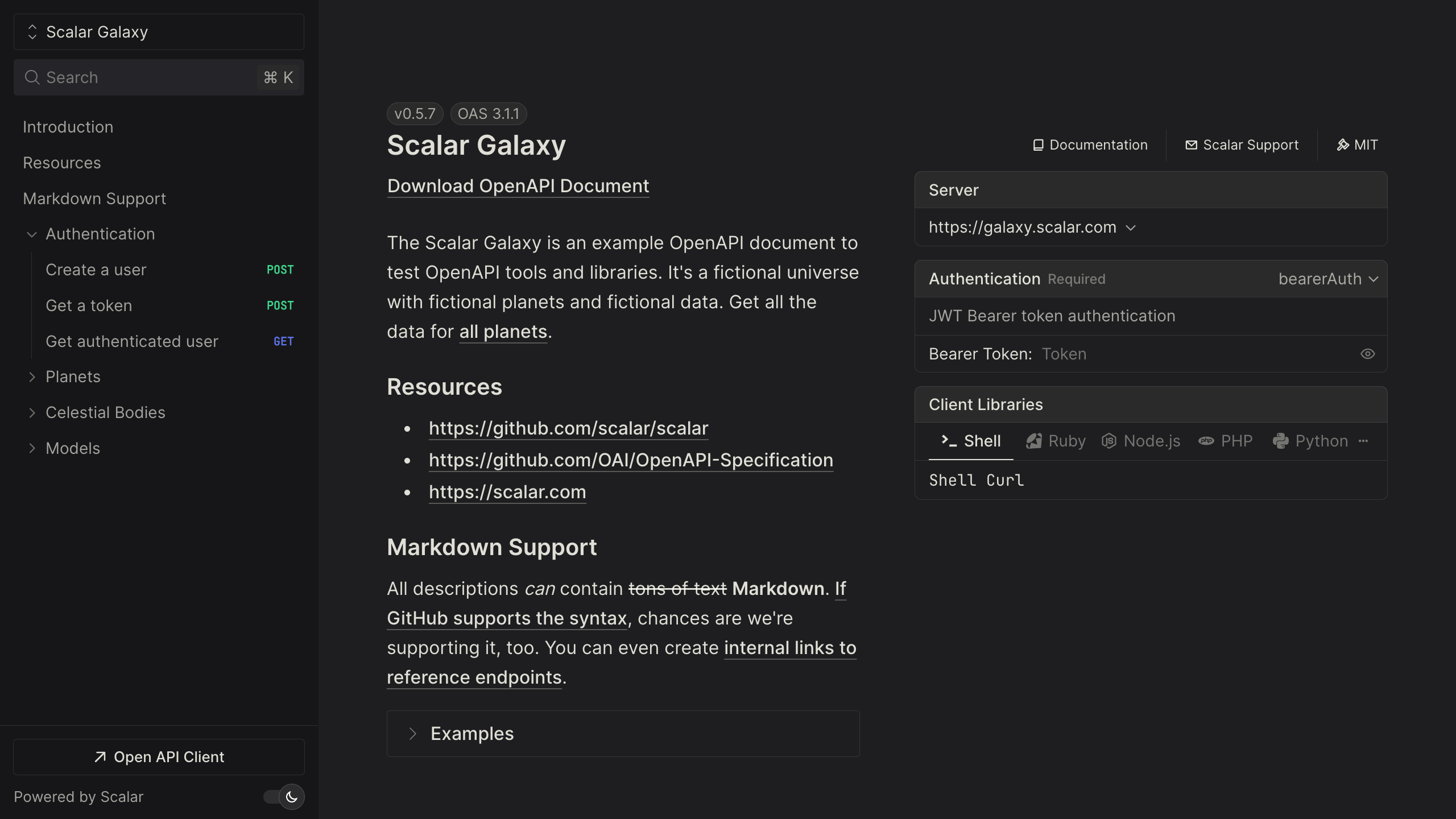
The Scalar Galaxy example API below is itself served by the Hono integration. Open an operation and send a request from the built-in client.
Open the live demo in a new tab
Using hono-openapi instead
hono-openapi generates the document as middleware, so you can add it to an existing Hono app without rewriting your routes:
import { Hono } from 'hono'
import { describeRoute, openAPIRouteHandler } from 'hono-openapi'
import { Scalar } from '@scalar/hono-api-reference'

const app = new Hono()

app.get(
  '/',
  describeRoute({
    summary: 'Say hello',
    responses: { 200: { description: 'OK' } },
  }),
  (c) => c.text('Hello!'),
)

// Serve the generated OpenAPI document
app.get(
  '/openapi.json',
  openAPIRouteHandler(app, {
    documentation: {
      info: { title: 'Example', version: '1.0.0' },
    },
  }),
)

// Render the reference from it
app.get('/scalar', Scalar({ url: '/openapi.json' }))

export default app
The middleware can also resolve its configuration per request from the Hono context, for example to turn on the proxy only when c.env.ENVIRONMENT is development. It ships with a Hono theme by default; set theme to another built-in theme or none. See the Hono integration guide for every option, including a Markdown route for LLMs.
What you get
The middleware and the reference are MIT licensed. The OpenAPI document your Hono app produces is also the input for the rest of Scalar.
- An interactive API reference. Every route and Zod schema, with search, themes, dark mode and request code samples in popular languages.
- A built-in API client. "Test Request" opens a full client with environments, authentication and history. It also runs as a desktop and web app.
- SDKs from the same document. TypeScript, Python, Go and CLI are generally available; Java, Kotlin, Ruby, C#, PHP, Rust, Swift, Dart and C++ are experimental.
- A hosted MCP server so AI agents can call the endpoints you choose, with OAuth. Scalar hosts it, so there is nothing extra to deploy next to your Worker.
For SDKs and MCP, save the document your app serves (for example curl http://localhost:8787/scalar/openapi.json > openapi.json) and publish it to the Scalar Registry from CI:
npx @scalar/cli registry publish --namespace your-namespace --slug your-api ./openapi.json
Free hosted docs cover up to 3 APIs; Pro is $150 per month. See pricing.
Migrating from Swagger UI
Hono's own Swagger UI middleware, @hono/swagger-ui, is typically mounted as app.get('/ui', swaggerUI({ url: '/doc' })). The Scalar middleware takes the same url, so the switch is one import and one call:
// Before
import { swaggerUI } from '@hono/swagger-ui'
app.get('/ui', swaggerUI({ url: '/doc' }))

// After
import { Scalar } from '@scalar/hono-api-reference'
app.get('/ui', Scalar({ url: '/doc' }))
Keep the /ui path if people have it bookmarked, then uninstall @hono/swagger-ui. Your createRoute definitions and Zod schemas do not change. If you were rendering with Redoc, the same one-line swap applies, and readers gain a request client in the page. The Swagger UI migration guide has a feature-by-feature comparison.
Frequently asked questions
How do I generate an OpenAPI document with Hono?
Use Zod OpenAPI Hono (@hono/zod-openapi) to define routes with createRoute and Zod schemas, or hono-openapi to add describeRoute metadata to existing routes. Both produce an OpenAPI document that Scalar can render.
Does the Scalar middleware work on Cloudflare Workers?
Yes. It only renders HTML and has nothing Node-specific, so it runs on Cloudflare Workers, Bun, Deno and Node.js. Only your server entrypoint changes between runtimes.
What is the difference between Scalar() and Scalar.serve()?
Scalar({ url }) renders a reference for a document you serve elsewhere. Scalar.serve({ document }) is mounted with app.route and serves both the reference and the JSON document, at /openapi.json under the mount path by default.
Is the Hono integration free?
Yes. @scalar/hono-api-reference and the API reference are open source under the MIT license. Paid plans cover hosted docs with more APIs and seats, SDKs, and MCP usage.
Can I build the configuration per request?
Yes. Pass a function instead of an object: Scalar((c) => ({ url: '/doc', ... })). It receives the Hono context, so you can read c.env or c.req. With Scalar.serve, document can also be a function of the context.
Related
- Learn: What is OpenAPI? · OpenAPI to MCP server
- Docs: Hono integration guide
- Product: API References — the open-source reference behind the Hono middleware, also available hosted



