Publishing
Scalar publishes your generated SDKs to their package registries for you. Instead of running npm publish by hand, Scalar writes GitHub Actions workflows into your SDK repository and drives them from your SDK configuration. When you merge a release, the package goes out.
Publishing is opt-in and off by default. Nothing is published until you turn it on for a target.
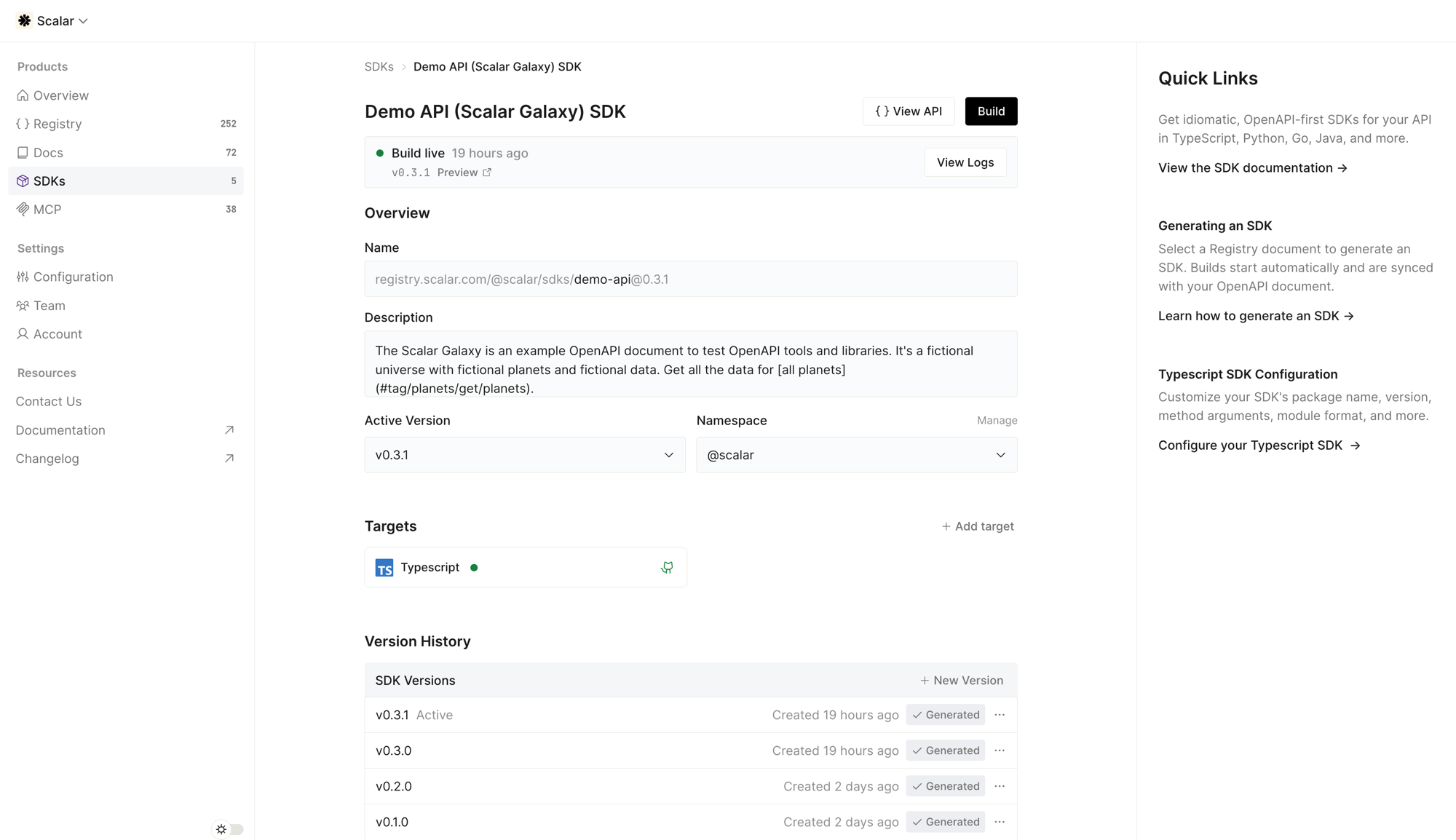
How it works
Publishing rides on top of the generation and GitHub sync you already use. There is no separate pipeline to maintain.
Enable publishing for a target
Turn on publishing for a target, either from the dashboard or in your SDK configuration. This is the single switch that wires everything up.
Build the SDK
Each build generates the SDK, pushes it to the scalar-generated branch of your linked repository, and merges it with your custom code on scalar-next. The generated .github/workflows land in the repository too, so the publishing logic lives in your repo, not in a black box.
Review the release pull request
Scalar keeps a release pull request open from scalar-next against your default branch, titled release: X.Y.Z. Its diff is the full pending release: generated changes, your custom code, the changelog, and the version bump.
Merge the release pull request
Merging runs release-please.yml on the default branch, which cuts the vX.Y.Z tag and creates the GitHub Release. The changelog already arrived with the release pull request.
The publish job publishes
In the same workflow run, the release is synced back to scalar-next, and the inline publish job then checks out the tag that was just cut and publishes the package to its registry. The publish step is idempotent: if that version is already on the registry, it is skipped, so re-runs never fail or double-publish.
What gets generated
Every target with a linked repository gets its release machinery committed alongside the SDK. They are normal, readable files you can inspect (and edit) in your repo.
| File | Trigger | What it does |
|---|---|---|
.github/workflows/sdk-ci.yml |
push, pull_request |
Installs dependencies and builds the SDK so every change is checked. |
.github/workflows/release-please.yml |
push to the default branch |
Cuts the tag and GitHub Release when a release pull request merges, publishes from its inline publish job, and syncs the release back to scalar-next. |
.github/workflows/release-title-edit.yml |
pull_request |
Runs the Release PR version check and turns an edited release-pull-request title into the Release-As commit Scalar re-renders the pull request from. |
.github/workflows/sdk-release.yml |
workflow_dispatch |
Manually re-publishes an existing tag. Only generated when the target publishes at release time. |
release-please-config.json, .release-please-manifest.json |
— | release-please's configuration and version state. The manifest is seeded once and then owned by your repository. |
VERSIONING.md |
— | Documents the branch model, how to pick an exact version, and the repository prerequisites. |
Tag-served ecosystems (Swift Package Manager, Packagist) have nothing to upload, so they get no publish job and no sdk-release.yml. For those, the vX.Y.Z tag and GitHub Release are the publish. Go versions are tags as well, but Go still gets a release workflow, which uploads nothing and warms the public module proxy after the tag. See Package Registries.
Enable publishing
You can enable publishing two ways. Both set the same thing.
From the dashboard, open a target and toggle Publish to <registry> on merge under Git settings.
In your configuration, add a publish block to the target:
{
  "targets": {
    "typescript": {
      "packageName": "demo-api",
      "publish": {
        "npm": true
      }
    }
  }
}
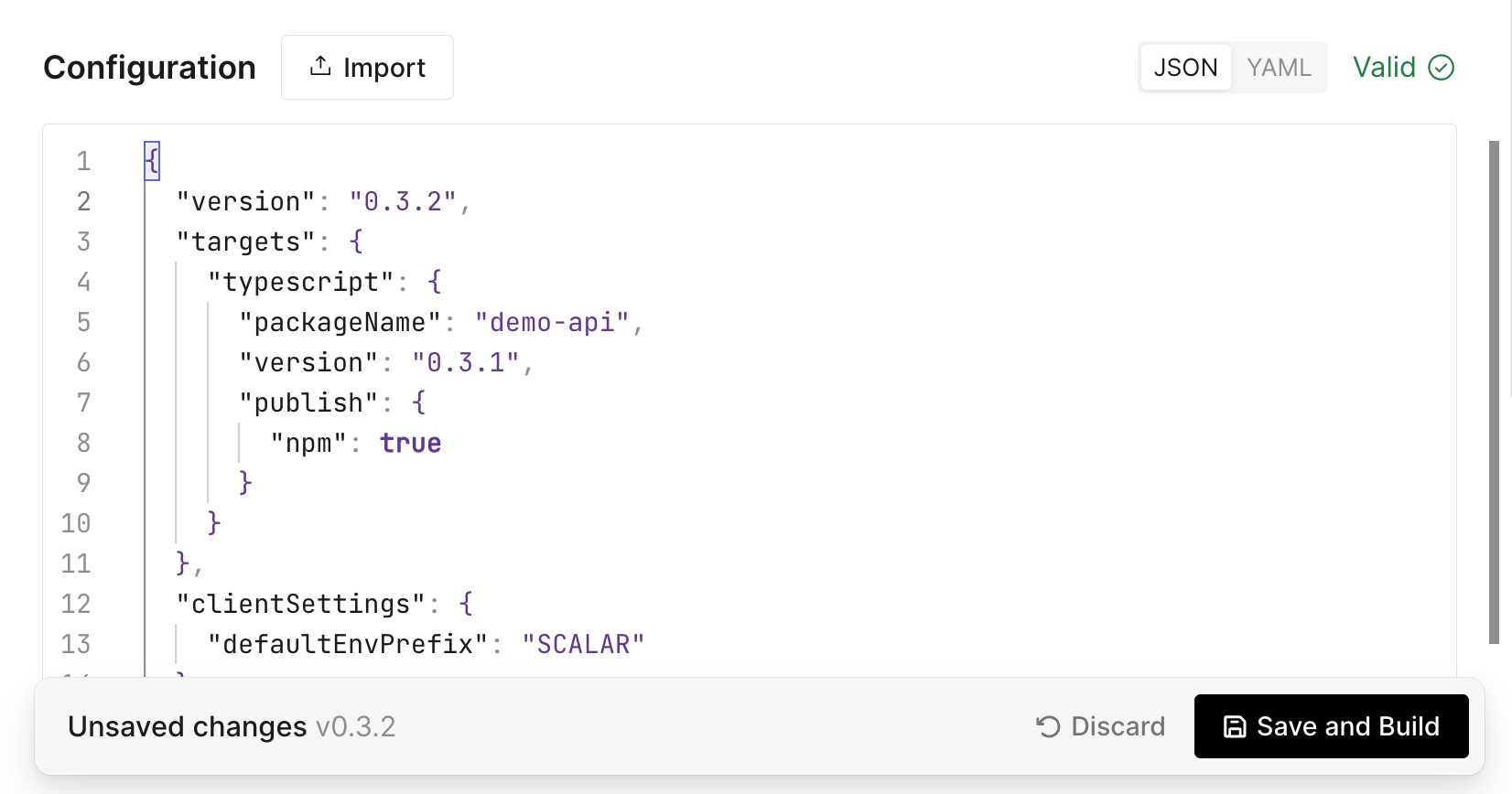
The registry key depends on the target (npm, pypi, cargo, maven, and so on). The C#, PHP, Swift, Rust, Dart, and C++ targets are experimental. For the full list and each registry's setup, see Package Registries; each target's configuration page documents its publish options. The CLI's three channels (npm, standalone binaries, and Homebrew) are covered in the CLI guide.
Publishing requires a linked repository: a target with no destinations.production gets no workflows at all.
Package name availability
When you enable publishing, the dialog checks the target's package name against its registry and tells you whether it looks available or already taken — so you catch a name conflict up front, not after a release merges and the publish step fails.
A taken name is a warning, never a block: the registry cannot tell whether a name is already yours, and republishing under your own name is normal. The check runs for npm and PyPI today; other registries show nothing.
Authentication
By default Scalar uses OIDC trusted publishing wherever the registry supports it. The publish job exchanges a short-lived GitHub identity token for a registry credential at publish time, so there is no token to create, store, or rotate. You register your repository and workflow as a trusted publisher on the registry once. Two exceptions: npm and crates.io only register a trusted publisher on a package that already exists, so their first release uses a token, and NuGet's OIDC login still reads your profile name from a NUGET_USER secret.
Register release-please.yml as the trusted publisher's workflow, not sdk-release.yml. The automated publish runs as a job inside release-please.yml, so that is the file the OIDC claims name. sdk-release.yml exists for manual re-publishes; register it as an additional trusted publisher only if you use it.
Registries that do not support OIDC (Maven Central, which also requires GPG signing, and a Homebrew tap) use repository secrets instead, and so does pub.dev: it authorizes a tag pattern the generated workflows cannot satisfy, so a Dart target sets authMethod to access-token. Setup for each registry is covered in Package Registries and the per-language guides it links.
Versioning and releases
Versions are computed by release-please from your commit history, following Conventional Commits. Scalar writes conventional commit messages describing what actually changed in the SDK surface, and your own commits on scalar-next count too. Pre-1.0, breaking changes bump the minor version instead of jumping to 1.0.0.
To ship an exact version instead, edit the release pull request title:
release: 1.0.0
The Release PR version check goes red while the title and the committed version disagree, Scalar re-renders the pull request at your version, and the check goes green. Wait for green before merging. The release pull request title is the one place to set the version: there is no version override in the dashboard or in the SDK configuration.
Every release gets a vX.Y.Z tag, a GitHub Release, and an entry in the repository's CHANGELOG.md, so your release history lives in your repo next to the code. The generated VERSIONING.md documents all of this for your maintainers.
Permissions
The generated workflows request only the permissions they need. release-please.yml needs to write the tag and the Release:
permissions:
  contents: write
  pull-requests: write
pull-requests: write is only used to update the labels on the release pull request that was just merged. None of the workflows opens a pull request: the Scalar GitHub app opens the release pull request and keeps it current.
Its publish job then narrows that down to the publishing floor:
permissions:
  contents: read
  id-token: write
  packages: write
id-token: write is what enables OIDC trusted publishing. The CLI target keeps contents: write on the publish job when it attaches binaries or updates a Homebrew tap, because it uploads assets to the GitHub Release. Go's publish job, which only warms the module proxy, runs with contents: read alone. Scalar never asks for organization-wide access to publish.
Next steps
Connect each target to a repository so builds sync to it. See GitHub Repositories.
Register a trusted publisher or add the required secrets for your registry. See Package Registries for the guide for each one.
Artifactory, AWS CodeArtifact, Nexus, and the like are published from a workflow your repository owns, which Scalar carries forward on every build. See Private Registries.



